Agent runs
Last updated: June 11, 2026
An Agent run is a single execution of an Agent. It starts when an input is submitted and ends when the final output is generated. While an Agent provides the reusable structure (its steps, nodes, and logic), each run represents a unique instance of that Agent in action.
Agent runs let you automate analysis, generate insights, and execute connected tasks consistently and repeatedly, without needing to reconfigure the Agent each time.
Test Agent runs
Test runs let you track the inputs, outputs, and variables of each step more closely. From the Agent Builder, you can view the results of a test run, including:
The steps executed.
The variables produced at each stage.
The final output returned by the Agent.
This makes it easy to troubleshoot, refine prompts, or verify that your Agent logic behaves as expected.
Trigger a test run by clicking Run Test in the upper right-hand corner of the Agent Editor.
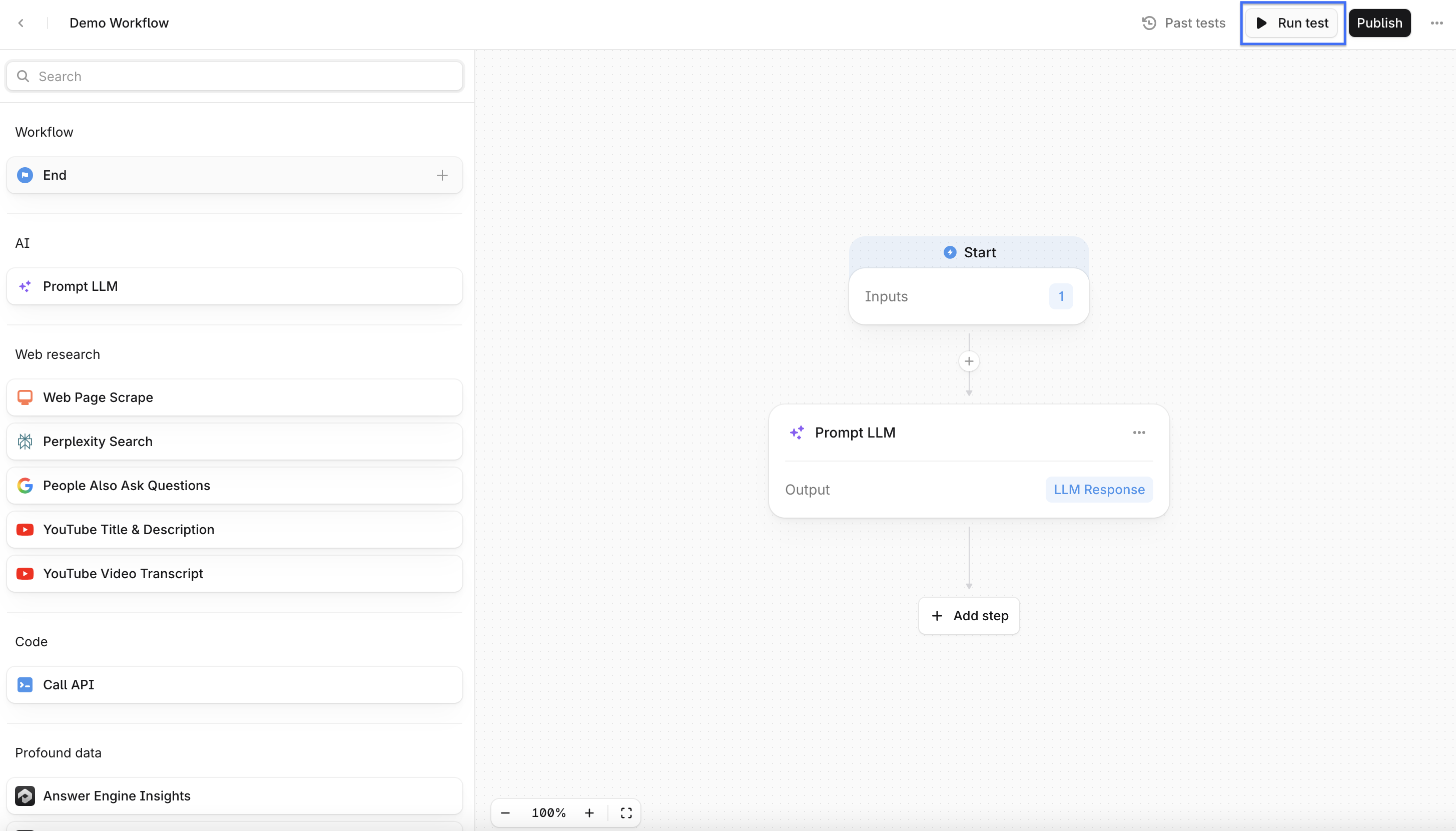
You can run tests for both published and draft Agents. To run a test from a published Agent, navigate to the Agent Builder by selecting Edit Agent from the Agent input page.
Trigger an Agent run
An Agent run begins when you:
Click Run for the desired Agent in the Agents menu
Provide input
Each run processes the values you provide, transforms them through each step, and produces a final output.
How Agent runs work
During a run, Agent's steps execute in a linear order:
Inputs are captured. The Agent records the values you provide and stores them as variables.
Steps execute sequentially. Each node performs its action, such as running Answer Engine Insights, prompting a model, or calling an external tool.
Variables pass between steps. Outputs from each step become new variables that can be reused or combined later in the run.
A final output is generated. The run ends at the End step, producing a result or simply marking the run’s completion.
Because each run is independent, the same Agent can produce different results based on the inputs you provide or data retrieved during the process.
View run results
Final Agent outputs appear next to the input field from a specific Agent input page.